

Download
Version 1.0.0 | NOVEMBER 6, 2026 | macOS Apple Silicon & Windows x64 | FREEWARE LICENSE | Changelog
Download previous versions
| Version | Platform | Date | User Guide (PDF) |
|---|---|---|---|
SUPPORT MY WORK!
Please consider donating to help me further improve this tool and make it more user-friendly. Thank you!
What if the focus bracket you shot this morning could become a tilt-lens photograph, and you could choose the angle of the focal plane tonight, at your desk, as many times as you like?
The itch
If you’ve ever stood behind a view camera, or a tech camera with a tilt adapter, or a camera with a T/S lens, you know the routine. 100% zoom on the live view. Tilt a little. Refocus. Tilt again. Check the near corner, check the far ridge, check the near corner again. When it works it’s beautiful. It’s also slow, the light doesn’t wait, and the decision is locked in the moment you press the shutter.
Meanwhile, many of us already shoot focus brackets. Most modern bodies do it in-camera with a single button press. And then we feed those frames to a stacker that does exactly one thing: make everything sharp.
But a focus bracket holds far more than “everything sharp”. It holds every plane of focus between your nearest frame and your farthest. A conventional stacker throws that choice away. Tiltoh gives it back to you.
What Tiltoh does
You load the stack: the TIFFs your raw converter exports. Tiltoh aligns the frames (focus breathing included), works out where each frame is sharp, and shows you a live preview with a virtual focus plane that you can tilt, swing and move through the scene. For every pixel, it uses the frame that was focused where your plane crosses that pixel.
Here’s what matters most: none of the blur is faked. Every out-of-focus area is real defocus from your real lens at your real aperture. This isn’t the phone “miniature” filter with a Gaussian blur on top. It’s what your glass actually recorded, chosen pixel by pixel.
One bracket, four photographs
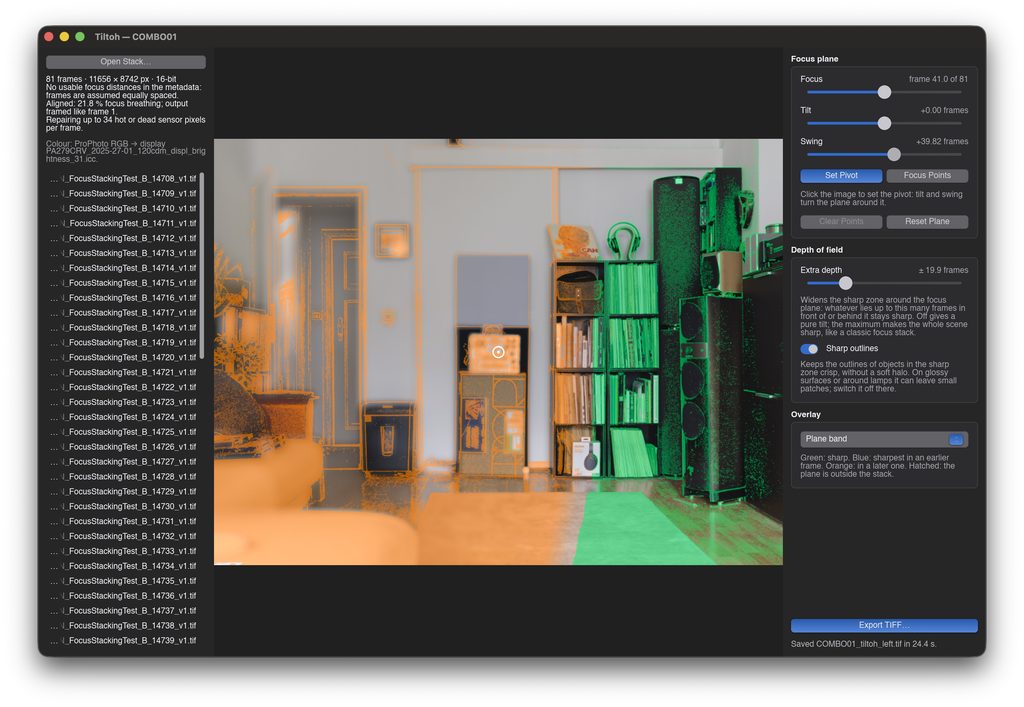
Please excuse the living room image. It was raining and I had to revert to an indoor image. However, It makes a good test scene because it has depth everywhere: the sofa right in front of the lens, the shelves against the wall, the corridor running off behind the open door. I shot it once: 81 frames on a Hasselblad 907X with the XCD 45P at f/4, using in-camera focus bracketing. Everything below was decided afterwards, at my desk.
Normal focus-stacking composition (everything is in focus)
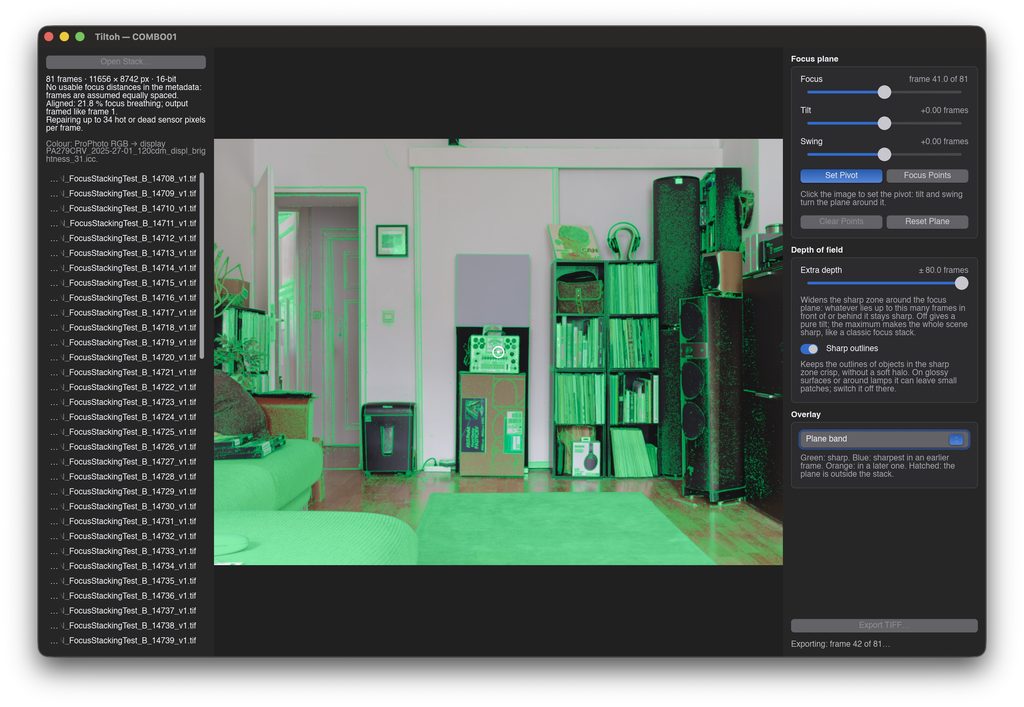
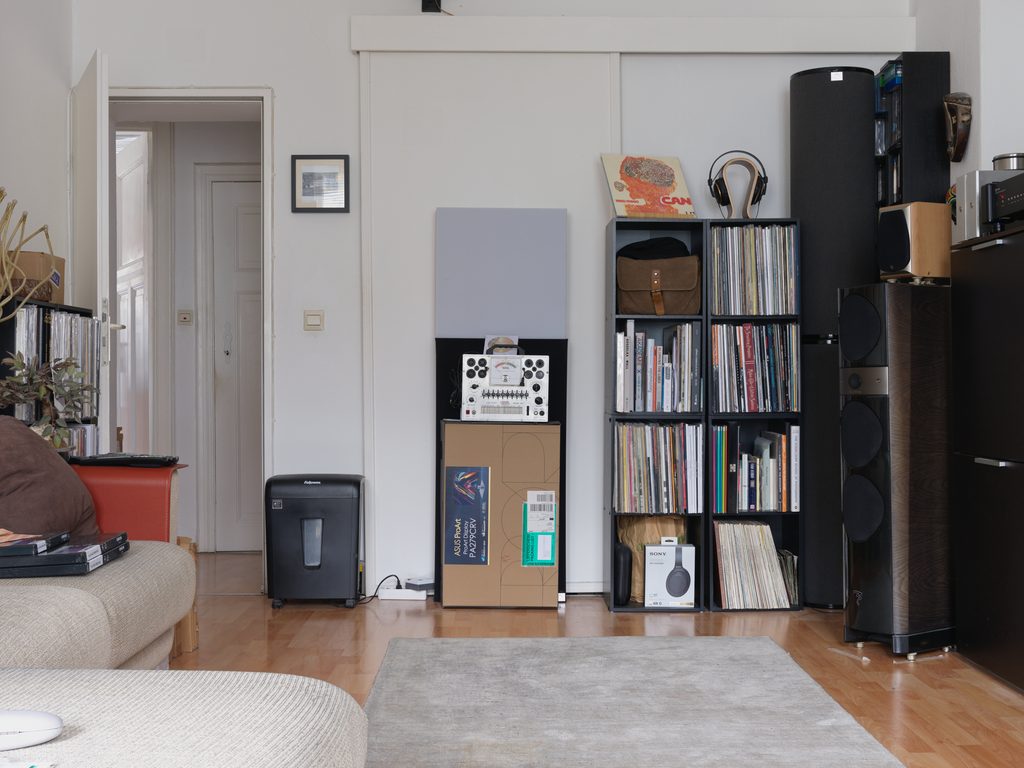
Plane swung to the left (only left side in focus)
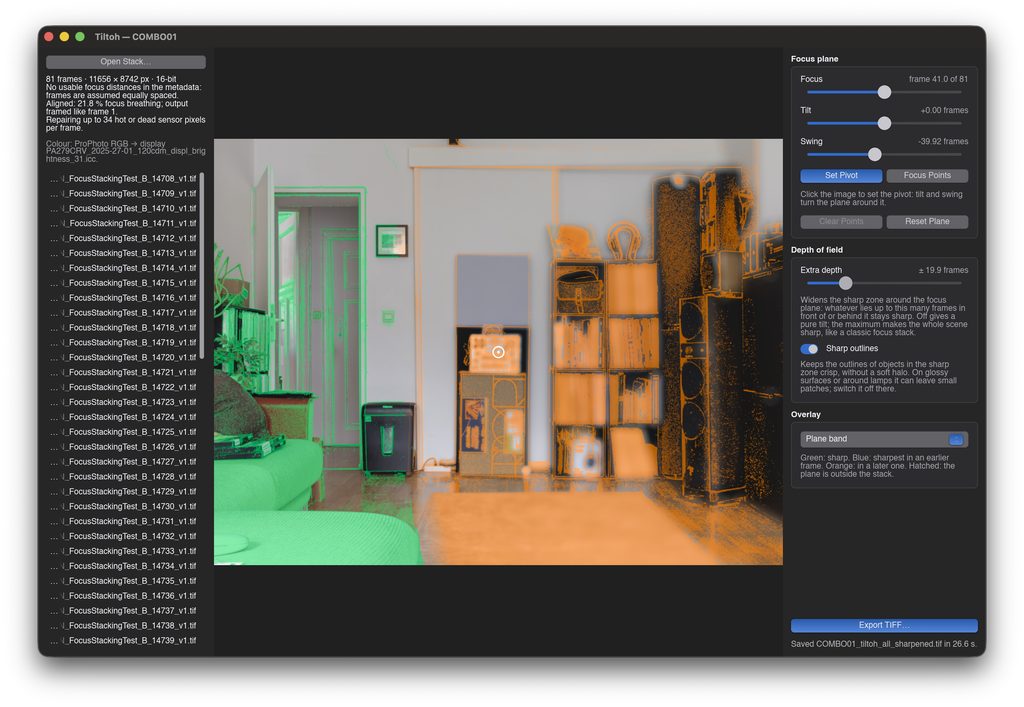
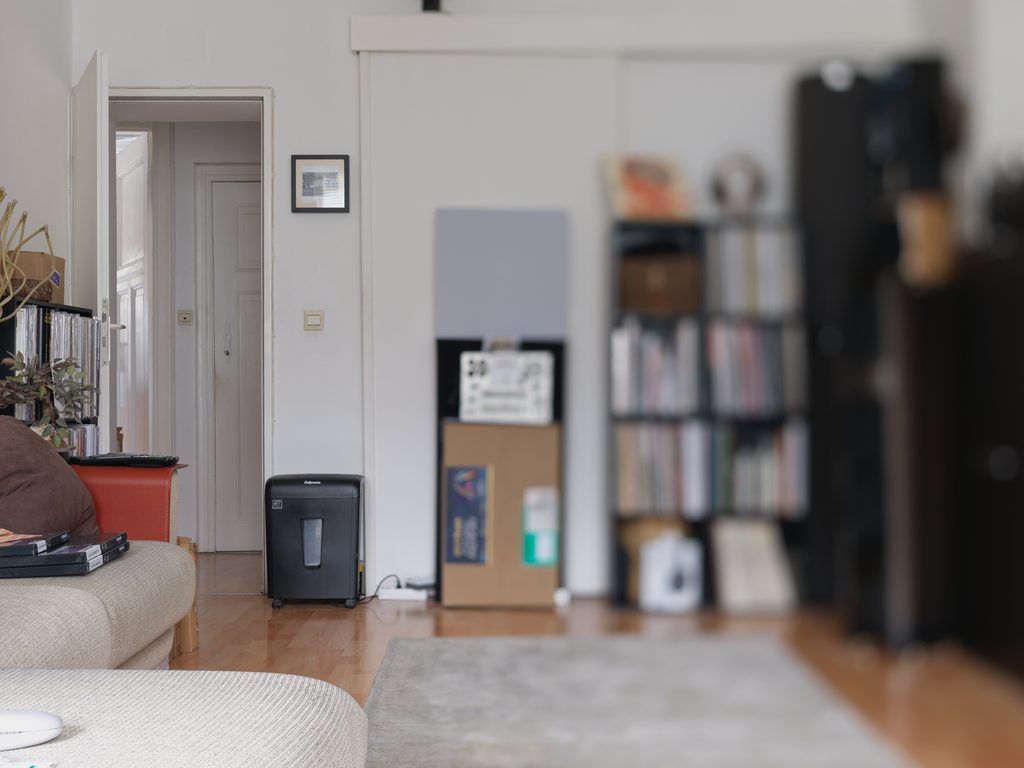
Plane swung to the right (only right side in focus)
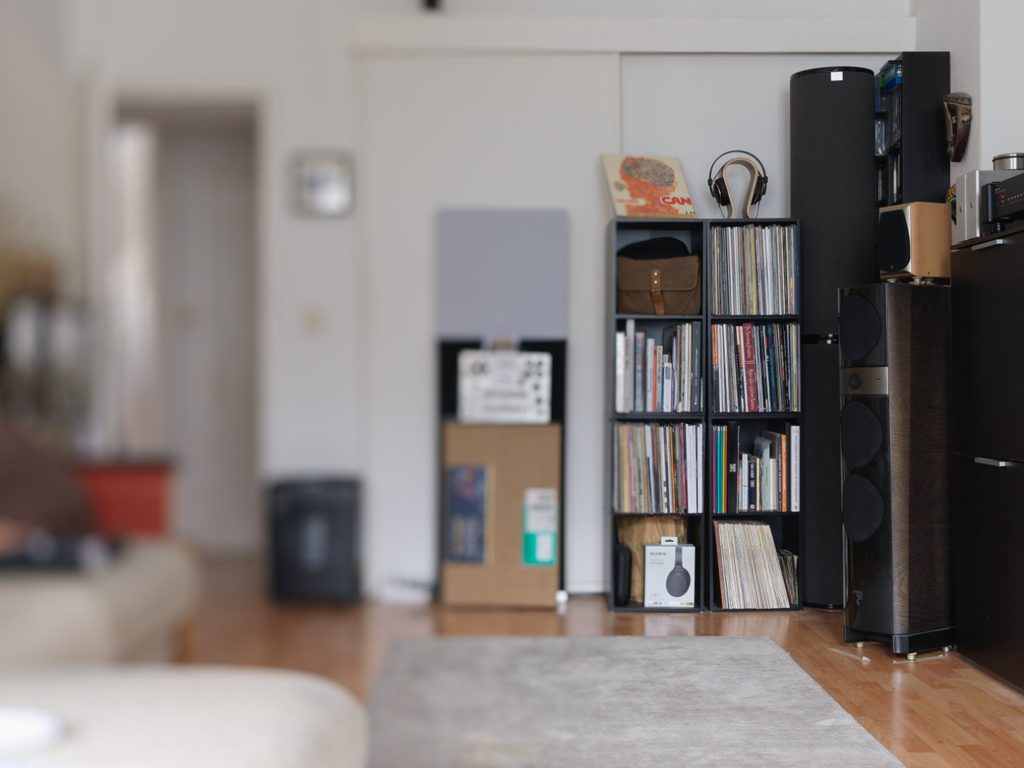
The miniature effect (tilt, only central horizontal area is in focus)
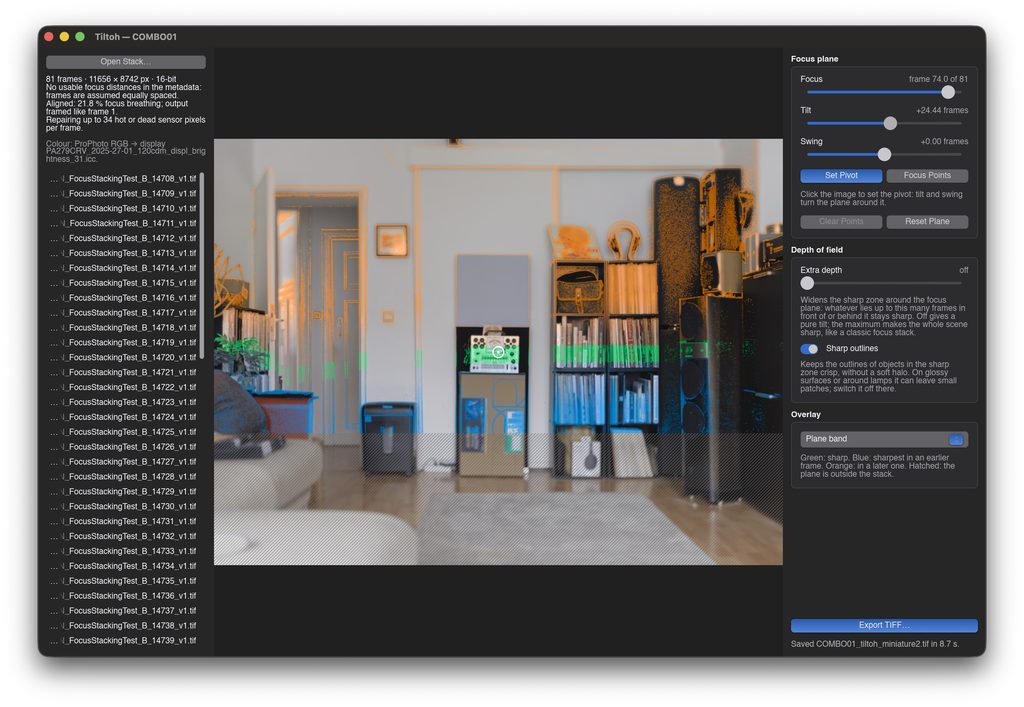

Compare 2 and 3 in particular. Those are two photographs that a real tilt lens would have made you choose between at the tripod. Here they’re two settings applied to the same 81 files.
Why bother? What it adds
- Decide the plane later, and change your mind. One set of files, several photographs: the plane along the table top, the plane along a row of bottles, or a Scheimpflug landscape with the grass at your feet and the distant ridge both sharp. Each version is just a few numbers, so trying another one costs nothing.
- Any lens becomes a tilt lens. Your sharpest prime, the lens you already own and trust. No adapter, no working at the soft edge of a big image circle, no extra glass in the path. Many systems simply have no tilt lens at all.
- Tilt and swing at the same time, around any point. Click a pivot on your subject; tilt and swing rotate the plane around it, so that point stays sharp, just like with a real tilt lens.
- Three-point focus. Click the three things that must be sharp, and Tiltoh puts the plane through all of them. View-camera users will know the logic. You just skip the iterations with the loupe.
- Something no lens can do: choose the depth of field separately. A real lens gives you the depth of field your aperture gives you, and no more. In Tiltoh you set the thickness of the sharp slab around the plane on its own. Keep a thin slab sharp along a tilted row of products and let everything outside it fall off smoothly, with real lens blur. Turn the thickness all the way up and you get a classic focus stack, so it’s a stacker as well.
- See it before you commit. A plane overlay tints what’s inside the sharp slab green, what’s in front of it cool and what’s behind it warm, and hatches the areas where your plane leaves the range of the bracket. Focus peaking covers the fine tuning at 1:1.
- Files that respect your workflow. TIFF in, TIFF out. There’s no color conversion inside the pipeline, and the ICC profile and the source metadata are carried over, so the result goes straight back into Photoshop, Affinity, Lightroom, Capture One or whatever you use.
Built for big files
From day one it had to cope with medium-format sizes. The living-room stack above comes from a Hasselblad 907X with the CFV 100C: 81 frames at 102 MP, 611 MB each, 50 GB of TIFFs.
- On an M3 Max, Tiltoh loads, aligns and analyses that stack in about 30 seconds. A full-resolution export with all 80 frames takes about 20 seconds.
- It never holds the whole stack in memory. The live preview runs on small proxies plus a depth map, and the original TIFFs are read only twice: once at import, once at export. The test stack above peaks at around 4 to 5 GB of RAM.
- Focus breathing is measured and corrected. On that 45P stack the image grew by 21.8 % from the nearest frame to the farthest, about 1267 pixels at the edges. Tiltoh lines the frames up before it touches a single pixel.
It’s a native app for macOS (Apple Silicon) and Windows (x64).
The honest limits
I’d rather you hear these from me than find out later.
- Tilt and swing only, no shift. Shift changes perspective, and the frames can’t invent a viewpoint they never saw. For that you still need a shift lens or a stitch.
- The bracket sets the limits. Nothing can come out sharper or blurrier than some frame already shows it. If you want strong falloff, your bracket has to reach well past the subject on both sides. The overlay shows you where the plane runs out of frames.
- Tripod and static subjects. Wind-blown leaves and moving water will misbehave, as they do with any stacker.
- Macro on a rail comes later. Parallax makes it a different problem. Product and landscape come first.
- Some small artifacts may appear in the final image, depending on the blend points automatically calculated by te application. Some small post-process healing might still be needed.
Where it stands
Currently, Tiltoh is in its first beta version. So, please bear with me if not everything works as expected.
I’ll soon implement the possibility to apply shift in addition to tilt, but it will inevitably crop the image.